Free TikTok to MP3 converter
OneClickTT converts TikTok to MP3 for free: paste the video link and save the original sound or the audio of the video. Quality is what TikTok stores, usually 64–96 kbps. No app or sign-up needed.
Updated: November 2026
How to download TikTok MP3 in 3 steps
Copy the link. In the TikTok app tap Share → Copy link, or copy the address from tiktok.com.
Paste it here. Paste the link into the field at the top of this page. Short links like vm.tiktok.com work too.
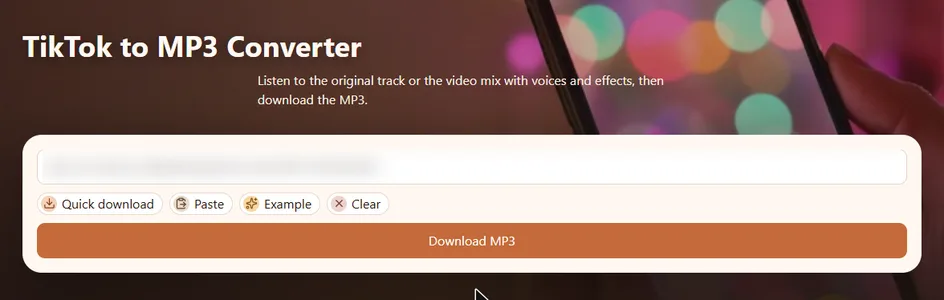
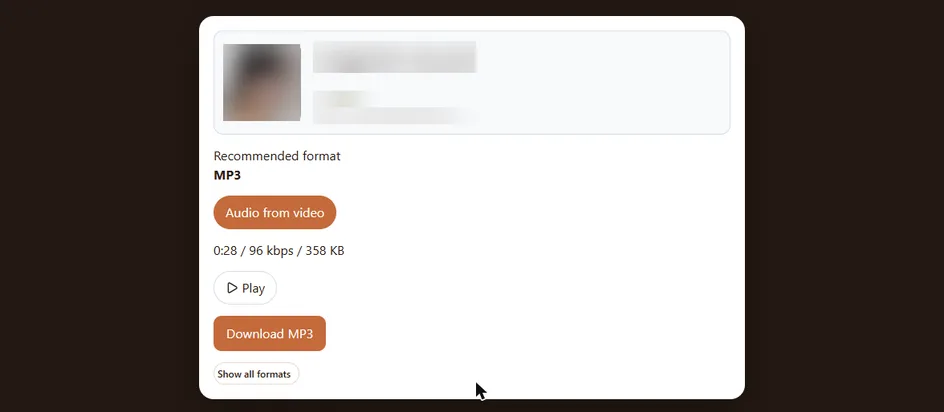
Download MP3. Listen to the tracks right on the page and press Download MP3 next to the one you need.
OneClickTT at a glance
| Feature | OneClickTT |
|---|---|
| Format | MP3 |
| Audio quality | Original from TikTok, usually 64–96 kbps |
| What you can save | Original sound or audio of the video |
| Listen before saving | Yes, Play button |
| Login or sign-up | Not needed |
| Devices | iPhone, Android, computer |
| Price | Free |
Original sound or audio from the video
For most videos you get two tracks to choose from:
Original sound – the sound the video is built on. If the creator used a song from TikTok's library, you get the clean song without their voice – handy for a ringtone. If they recorded their own sound, this track is the same as the video audio.
Audio from video – the sound exactly as you hear it in the TikTok: music plus voice, effects and everything else. Pick it for voiceovers, dialogues and memes.
Both tracks have a play button, so you can check them before downloading. If a video has only one of them, you see just that one.
Download TikTok sounds on iPhone, Android and PC
On Android, open this page in Chrome, paste the link and tap Download MP3 – the file goes to the Download folder and shows up in your music player. On iPhone and iPad, use Safari: the MP3 is saved in the Files app, in Downloads. On a computer, the file lands in your browser's download folder. If you opened the page from inside TikTok or Instagram, switch to Chrome or Safari first – built-in browsers often can't save files.
When the sound can't be downloaded
Private or deleted posts. Only public videos that are still on TikTok can be converted.
Sound removed for copyright. If TikTok muted the music, there is no track left to save.
Videos without sound. Some clips simply have no audio.
Need the picture too? Download the TikTok video without watermark in MP4.
Use downloaded sounds responsibly
Music and voices on TikTok belong to their authors and rights holders. Save MP3 files for personal listening, and ask for permission before you publish someone else's track or use it commercially.
Frequently asked questions
Is the TikTok to MP3 converter free?
Yes. Downloads are free, with no sign-up.
Can I download TikTok music without the voiceover?
Yes, if the video uses a song from TikTok's library – choose Original sound. If the creator recorded the sound themselves, their voice is part of it and can't be removed.
What quality is the MP3?
You get the audio in the quality TikTok stores for that video. No converter can make it better than the original. In practice TikTok stores most sounds at 64–96 kbps, and that is exactly what you get. Sites that promise "320 kbps" only re-encode the same sound into a bigger file – it does not sound any better.
Where is the MP3 saved?
In your browser's Downloads folder. On iPhone and iPad – in the Files app.
Can I use a TikTok sound as a ringtone?
Yes. Download the Original sound as MP3 and set it as a ringtone in your phone's sound settings. On iPhone you first need to turn it into a ringtone, for example with GarageBand.
Do I need to install an app?
No. OneClickTT works in any modern browser on phones, tablets and computers.