Free TikTok story downloader
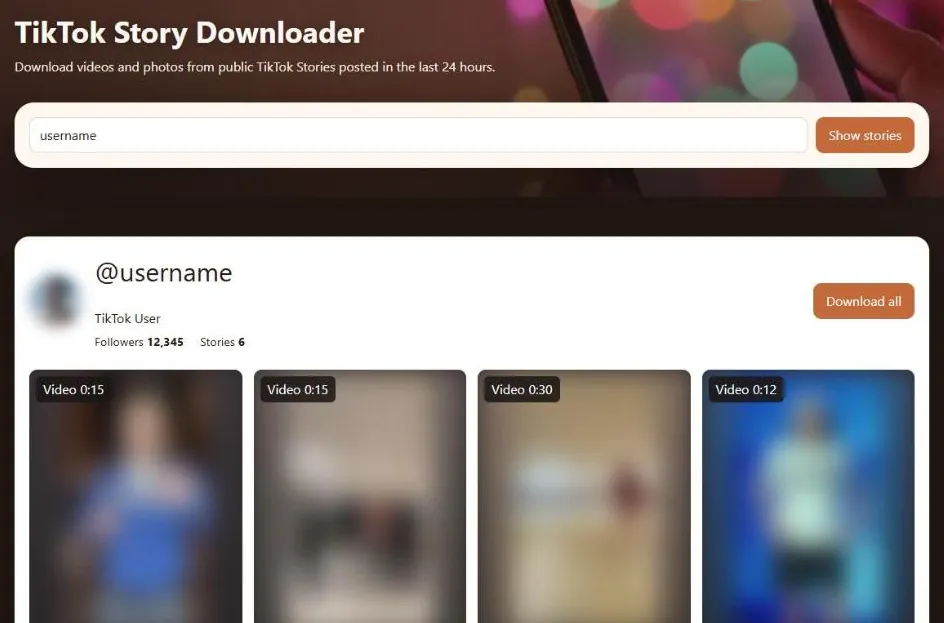
OneClickTT is a TikTok story downloader and story saver for public accounts. Type a username or paste a TikTok link into the box above and press Show stories: you'll see every story the account posted in the last 24 hours – videos and photos – and can download TikTok stories one by one or all at once. It works in your browser, with no app, no sign-up and no TikTok login.
Updated: November 2026
How to download TikTok stories in 3 steps
Copy the username or link. Copy the name after @ from the profile, or tap Share → Copy link on the profile or the story.
Paste it here. Paste it into the field at the top of this page and press Show stories. You'll see the profile, the number of followers and all active stories.
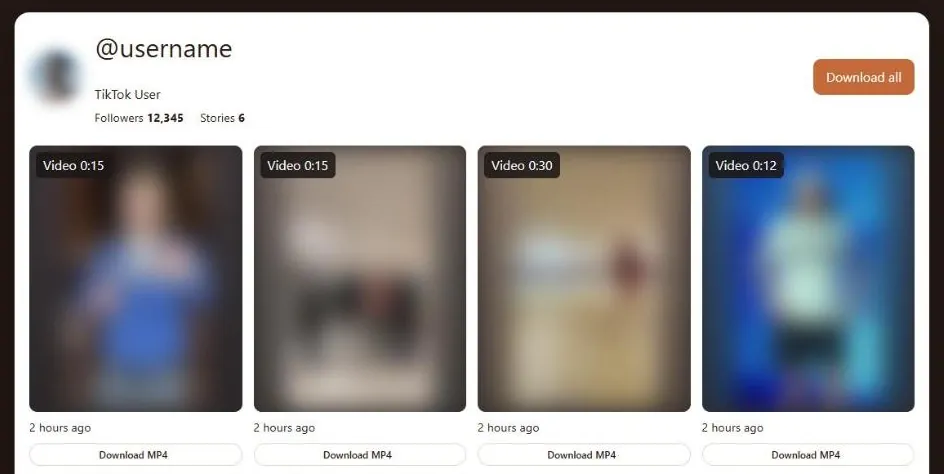
Save the stories. Tap a story to preview it, press Download under the one you need, or Download all to save the whole set.
What you can download
Video stories (MP4, HD 720p) – each clip with its length shown before you save it.
Photo stories (JPG) – pictures posted as a story.
All stories at once – one button saves every active story of the account.
Files get clear names with the username, date and number, so they are easy to find later. The original story file is saved without an added TikTok logo, so you download TikTok stories without watermark; if the author shared someone else's video in a story, its caption may stay on the picture.
OneClickTT at a glance
| Feature | OneClickTT |
|---|---|
| What you enter | Username or TikTok link |
| Video stories | MP4, HD 720p |
| Photo stories | JPG |
| Download all at once | Yes, one button |
| TikTok logo added | No |
| Login or sign-up | Not needed |
| Owner sees you viewed | No |
| Devices | iPhone, Android, computer |
| Price | Free |
Watch and save stories anonymously
TikTok shows story authors who has viewed their stories. OneClickTT doesn't use your TikTok account, so you don't need to log in and your name doesn't appear in that list.
Save TikTok stories on iPhone, Android and PC
On Android, open this page in Chrome: files go to the Download folder and show up in your gallery. On iPhone and iPad, use Safari: stories are saved to the Files app, in Downloads; to move a video to Photos, open it, tap Share and choose Save Video. On a computer, files land in your browser's download folder.
When stories can't be downloaded
The 24 hours are over. TikTok stories disappear a day after posting. If there are no active stories, the account hasn't posted anything in that time.
Private account. Stories of private accounts are visible only to approved followers, so we can't show them.
Need regular videos? Use Download videos from this account or download TikTok videos without watermark on the home page. For photo posts there is the TikTok photo downloader, for sounds – TikTok to MP3.
What to do if it doesn't work
Stories don't show up. Check the username for typos or paste the profile link instead. If the account is public and the name is correct, it hasn't posted a story in the last 24 hours.
The account isn't found. The user may have changed their username or deleted the account. Open the profile in TikTok, copy the link and paste it here.
The video doesn't save on iPhone. Use Safari, check Files → Downloads and make sure you have free storage. Then move the video to Photos via Share → Save Video.
The download doesn't start or stops. Reload the page and try again, download stories one by one instead of all at once, and turn off your VPN or ad blocker if they interfere.
Use downloaded stories responsibly
Stories belong to the people who posted them. Save them for personal use and ask the author before you repost a story or use it commercially.
Frequently asked questions
Is the TikTok story downloader free?
Yes. It's free, with no sign-up and no app to install.
Will the author know I watched or saved their story?
No. We don't use your TikTok account, so your name doesn't appear in the story's viewer list.
Can I download a story by username?
Yes. Enter the username with or without @, or paste a link to the profile or the story.
Can I download TikTok stories from a private account?
No. Only stories from public accounts are available.
Can I save an expired story?
No. After 24 hours TikTok removes the story, and it can no longer be downloaded.
Where are downloaded stories saved?
In your browser's Downloads folder. On iPhone and iPad – in the Files app.