Free TikTok photo and slideshow downloader
OneClickTT downloads TikTok photo posts and slideshows for free: paste the link and save each image as JPG in original size, all images in one ZIP, or the slideshow as MP4 with music. No watermark, no sign-up.
Updated: November 2026
How to download TikTok photos in 3 steps
Copy the link. Open the photo post in the TikTok app, tap Share → Copy link. On a computer, copy the address from tiktok.com.
Paste it here. Paste the link into the field at the top of this page and press Download. You'll see all slides of the post with their size.
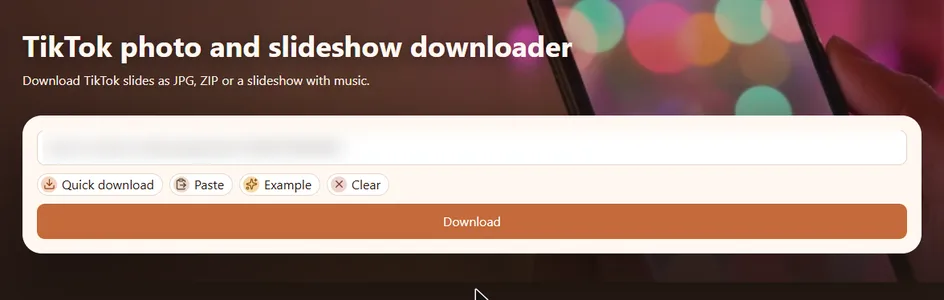
Save the photos. Choose how you want to download them – all at once, only some of them or as a video.
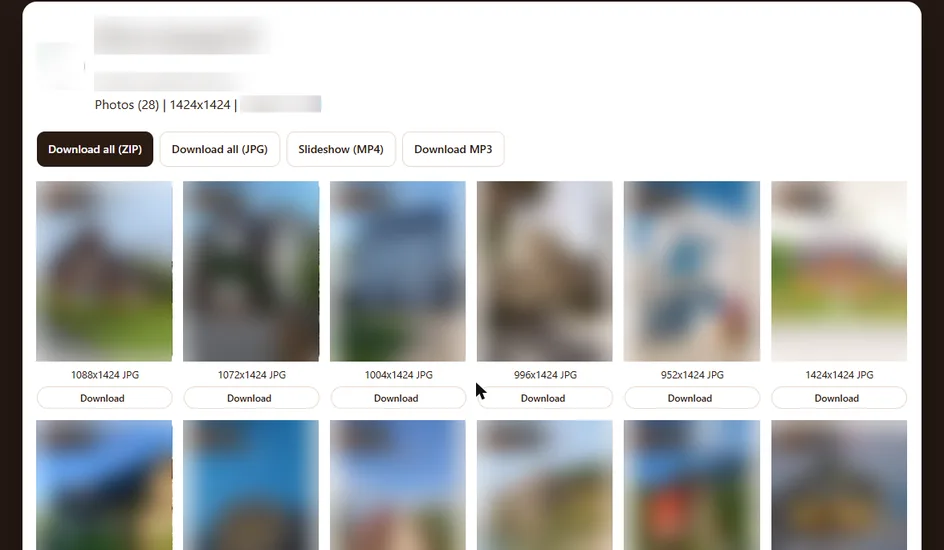
Download options
Download all (ZIP) – every slide in one archive. The quickest way to save a whole carousel on a computer.
Download all (JPG) – each slide as a separate image file, handy on a phone.
Only the slides you need – untick the photos you don't want and press Download selected, or use the Download button under a single slide.
Slideshow (MP4) – the photos joined into a video with the post's music, ready to share or edit.
Download MP3 – just the song or sound of the slideshow. For sounds from regular videos use our TikTok to MP3 converter.
Original quality, no watermark
You get the image files exactly as the creator uploaded them – the same resolution, often 1080×1920 or higher, saved as JPG. There is no TikTok logo or username on the pictures, so they stay clean for your archive, a mood board or a presentation. The size of every slide is shown before you download it.
Download TikTok pics on iPhone, Android and PC
On Android, open this page in Chrome: the photos go to the Download folder and appear in your gallery. On iPhone and iPad, use Safari: files are saved to the Files app, in Downloads. To move a photo to the Photos app, open it, tap Share and choose Save Image. ZIP archives open in the Files app with one tap. On a computer, everything lands in your browser's download folder.
When photos can't be downloaded
Private or deleted posts. Only public posts that are still on TikTok can be downloaded.
It's a video, not a photo post. Download the TikTok video without watermark on the home page.
Profile pictures. This tool saves photos from posts; it doesn't download profile photos.
Use downloaded photos responsibly
Photos on TikTok belong to the people who posted them. Save them for personal use and ask the author before you repost a picture or use it commercially.
Frequently asked questions
Is the TikTok photo downloader free?
Yes. It's free, with no sign-up.
Are the photos downloaded without watermark?
Yes. You get the original images without the TikTok logo or username.
Can I download only one photo from a slideshow?
Yes. Press Download under that slide, or untick the others and choose Download selected.
Can I save a TikTok slideshow as a video with music?
Yes. Choose Slideshow (MP4) to get the photos as one video with the original sound.
In what quality are the pictures saved?
In the original resolution the creator uploaded, as JPG. We don't compress or crop them.
Where are downloaded photos saved?
In your browser's Downloads folder. On iPhone and iPad – in the Files app.